HEIC to JPEG Converter for macOS — With Full Metadata Preservation
The Problem
Since a recent macOS update, iPhones and iPads save photos exclusively in HEIC format. While HEIC is efficient, it creates problems the moment you leave the Apple ecosystem — many photo book services, online print shops, and Windows-based workflows simply don’t support it.
The obvious solution is to use one of the many free online converters. But they all share the same critical flaw: they change the file’s creation and modification date to today’s date.
This might sound minor, but it breaks your entire photo library organisation. If you have photos from multiple cameras — each with different file naming conventions — the only reliable way to sort them chronologically is by file date. Once those dates are overwritten, that order is gone.
The Solution
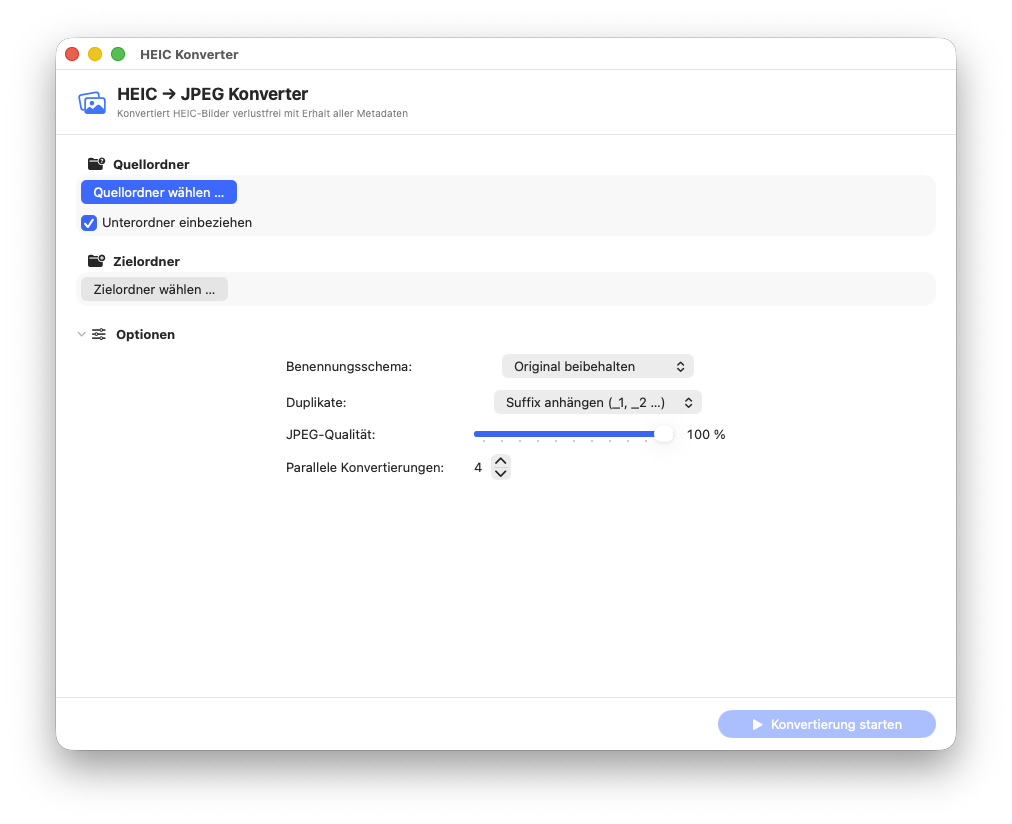
I built a native macOS app that solves exactly this problem. HEICConverter converts HEIC to JPEG at maximum quality while:
- Preserving all EXIF, GPS, and camera metadata
- Setting the file’s creation and modification date to the original EXIF date — not today’s date
- Mirroring the original folder structure in the output directory
- Processing up to 16 files in parallel (configurable)
- Providing flexible file naming options
Features
Flexible naming schemes:
- Keep original filename (
IMG_1234.jpg) - Date prefix (
2024-03-15_IMG_1234.jpg) - Sequential numbering (
Photo_001.jpg) - Custom pattern with placeholders (
{date},{time},{original},{nr})
Duplicate handling:
Skip, overwrite, or automatically add a suffix (_1, _2 …).
Conversion log:
A conversion_log.txt in the output folder with the status
of every file.
Clean cancellation: The current file finishes converting before the process stops.
Requirements
- macOS 13.0 Ventura or newer
- No external dependencies (uses native ImageIO and UniformTypeIdentifiers frameworks)
Download & Source Code
The app is free and provided as-is.
The compiled app is available as a free download on the Downloads page.
Why I Built This
As someone who works extensively with photos for sampling sessions and studio documentation, keeping files organised by date is essential. When I couldn’t find a converter that respected the original file dates, I built one.
It’s a small tool — but it solves the problem cleanly. That’s the kind of thing I enjoy building.